A kinogram is a set of still frames pulled from a video and arranged in one image, each frame showing a key position of a movement. Instead of watching a sprint or swing over and over, you read the whole technique at a glance — and you can put this month's kinogram next to last month's to see exactly what changed.
What a kinogram shows that video doesn't
Video is great for rhythm and flow, but positions live in single frames, and single frames are hard to discuss when they flash by at 30 per second. A kinogram freezes the handful of instants that define the movement and lays them out side by side. That gives you three things video can't:
- A discussion artifact. Coaches and athletes can point at frame three and talk about the knee, without anyone scrubbing a timeline.
- A progress record. Two kinograms of the same drill, months apart, make improvement (or regression) in mechanics undeniable.
- A shareable one-pager. One image travels through any chat app; a 200 MB slow-motion video doesn't.
The ALTIS kinogram method for sprinting
Kinograms were popularized in track and field by the ALTIS training group, where Dan Pfaff and Stuart McMillan built a method that reads sprint mechanics from five frames of one gait cycle. Three are stance positions and two are flight positions. Taken in cycle order:
- Toe-off (stance): the last frame before the support foot leaves the ground.
- Maximum vertical projection (flight): the top of the flight phase, identified by the frame where both feet are parallel to the ground. Usually shortened to MVP.
- Strike (flight): the frame where the opposite thigh is perpendicular to the ground. Judging it from the opposite leg is far easier than trying to define the position on the striking leg itself.
- Touch-down (stance): the first frame where the swing-leg foot meets the ground.
- Full support (stance): the foot directly under the pelvis, with the toe plumb vertical below the ASIS of the pelvis.
Each position is a checkpoint rather than a score, and the five sprint kinogram positions guide walks through what coaches look for in each one.
Film from the side, perpendicular to the runner, at the highest frame rate your phone offers (120 or 240 fps), with the athlete filling the frame. Then extract those five positions. The same logic transfers to any cyclical or phased movement: a golf swing (setup, top, impact, finish), a snatch (setup, pull, catch), a serve, a stroke cycle.
How to make a kinogram in about a minute
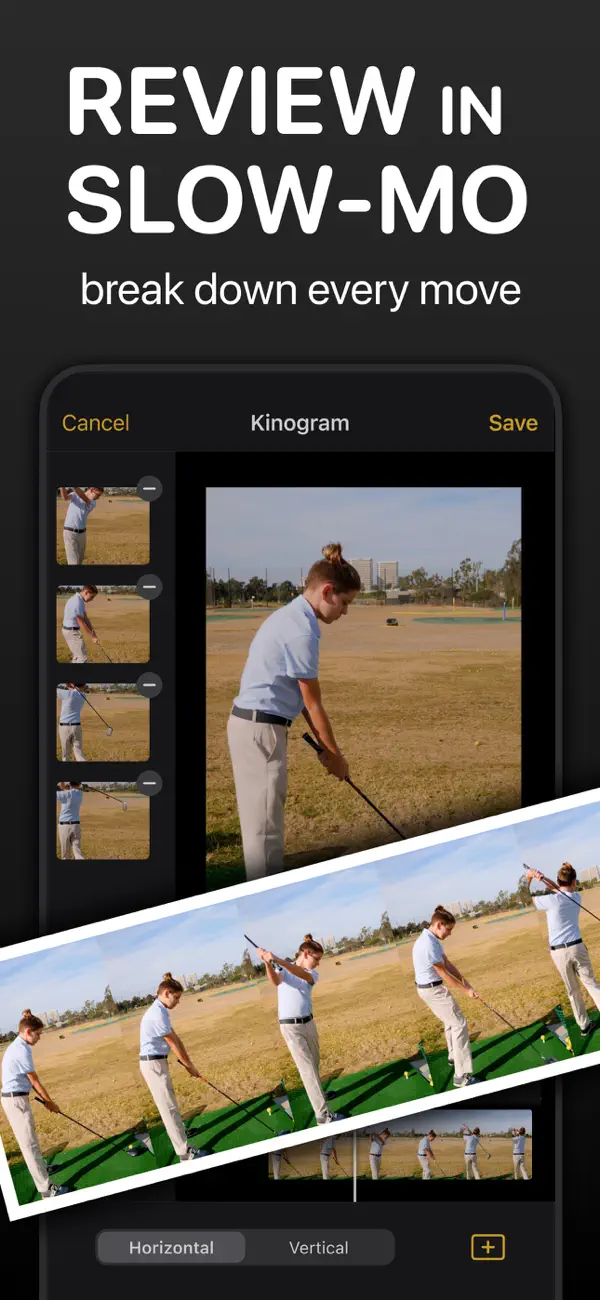
In Coach Video Analysis the kinogram is a built-in export — no screenshots, no collage app:
- Load the video and play it once at full speed for context.
- Scrub to the first key position. Use the frame-step buttons to land on the exact frame — for touchdown vs. toe-off, one frame matters.
- Tap the F (add frame) button. The frame joins your kinogram list.
- Repeat for each key position — five frames for an ALTIS-style sprint kinogram, four for a golf swing, as many as the movement needs.
- Open the Kinogram screen, remove any frame that missed, choose Horizontal or Vertical, and tap Save. The strip lands in your Photos as a single image.
Horizontal reads like a timeline and suits phone screens; vertical suits printing and side-by-side pairing of two athletes' kinograms.
Kinogram or chronogram?
The kinogram's sibling is the chronogram: instead of hand-picking frames, the app samples 5–40 frames at equal time intervals automatically. Use a kinogram when positions matter (technique review) and a chronogram when timing matters (rhythm, tempo, deceleration). Both export from the same Save menu — the chronogram guide covers the differences in detail.
 Make kinograms in Coach Video Analysis
Frame-accurate stepping, the one-tap F frame capture, horizontal or vertical layout, and a single-image export to Photos. Add Markup angles to the video before capturing and they appear in the frames. On iPhone, iPad, and Mac — free to download.